Types of Healthcare CRM Features for Better Patient Care
By Rowena Tulacz · · 9 min read
Types of Healthcare CRM Features for Better Patient Care

TL;DR:
- Healthcare CRM features include operational, clinical, analytical, and communication tools critical for patient engagement and workflow integration. Real-time EHR synchronization and HIPAA-compliant messaging are essential for accurate, secure healthcare delivery. Prioritize platforms with deep integration, compliance architecture, and scalable automation to enhance operational efficiency and patient outcomes.
Healthcare professionals face a unique challenge when selecting CRM software: the decision involves far more than contact management. The types of healthcare CRM features you choose directly shape patient outcomes, compliance posture, and day-to-day operational efficiency. Unlike general CRMs, healthcare-specific platforms must address HIPAA compliance, clinical data integration, and patient engagement at the same time. Healthcare CRMs focus on engagement workflows distinct from clinical record storage, which means getting the feature mix right determines whether your platform becomes a genuine clinical asset or just another software subscription.
Table of Contents
2. Operational features for scheduling and workflow automation
What I've learned selecting healthcare CRM features in practice
How Byrcs helps healthcare providers get CRM automation right
Key takeaways
| Point | Details |
|---|---|
| Operational features reduce manual work | Automating scheduling, reminders, and intake can cut manual task volume by up to 68% in hospital settings. |
| EHR integration is non-negotiable | FHIR-based bidirectional sync keeps CRM data aligned with clinical records to prevent costly engagement errors. |
| Compliance must be built in | HIPAA-compliant messaging and consent management should be core architecture, not add-on features. |
| Analytics drive smarter decisions | Predictive reporting on no-shows, disengagement, and campaign performance transforms raw data into patient care improvements. |
| Feature depth matters more than feature count | A CRM with fewer but deeply integrated features will consistently outperform one with a long checklist of shallow capabilities. |
1. The core types of healthcare CRM features explained
Before evaluating any specific platform, it helps to understand that healthcare CRM functionalities fall into four broad categories: operational, clinical, analytical, and communication. Each category addresses a distinct layer of the patient relationship and the practice's internal workflows. A platform that excels in one area while neglecting another will create gaps that staff end up filling manually.
Think of these categories as the four load-bearing walls of your patient management infrastructure. Remove one, and the structure becomes unstable. The goal of any well-chosen healthcare CRM is to support all four simultaneously, with each layer informing the others in real time.
2. Operational features for scheduling and workflow automation
Operational CRM features are the front-office engine of any healthcare practice. They handle the recurring, high-volume tasks that consume staff time and directly affect patient experience before a visit even begins.
Key operational capabilities to evaluate include:
Appointment scheduling and management with real-time calendar sync across providers and locations
Automated reminders via SMS, email, or patient portal to reduce no-shows before they happen
Digital patient intake forms that feed directly into the CRM record, eliminating duplicate data entry
Workflow automation for referrals and insurance eligibility checks that run in the background without staff intervention
HIPAA-compliant communication channels that restrict outreach to approved methods only
Operational CRM features reduce manual tasks in hospitals by up to 68% when scheduling, referral workflows, and revenue cycle tasks are consolidated in one place. That kind of efficiency translates directly into staff capacity for higher-value patient interactions.
Pro Tip: When evaluating scheduling automation, test whether the system can handle multi-provider and multi-location workflows, not just single-provider calendars. Many platforms advertise scheduling but only support simple single-resource booking.

The patient retention automation layer within operational CRM is especially underappreciated. Automated post-visit follow-ups, recall reminders for annual exams, and chronic care check-ins keep patients engaged between visits without adding to your front desk workload.
3. Clinical CRM features and EHR integration
Clinical CRM features are where healthcare platforms diverge most sharply from generic CRM tools. This category governs how the CRM connects to electronic health records (EHR) and uses clinical context to drive smarter patient engagement.
The gold standard for this integration is bidirectional sync using the FHIR (Fast Healthcare Interoperability Resources) standard. SMART on FHIR authentication enables clinical applications launched within EHRs to access patient data securely with scoped permissions, so the CRM only sees what it needs to act appropriately.
Practical clinical features to look for include:
Real-time API connections that synchronize patient status, diagnoses, and care plans between EHR and CRM
Discharge planning support that triggers outreach workflows the moment a patient is released from care
Remote patient monitoring integration that feeds device data into the CRM for proactive follow-up
Medication adherence tracking with automated prompts when patients miss refill windows
Role-based clinical context that tailors AI-generated communication to the patient's actual care stage
Without always-on FHIR APIs, the CRM and EHR operate in isolation. That isolation creates real clinical risk, such as sending appointment reminders to a patient who is currently hospitalized, which is a mistake that erodes patient trust and could trigger compliance concerns.
Pro Tip: Ask vendors specifically whether their EHR integration is bidirectional or read-only. Many platforms pull data from EHRs but cannot write back, which limits their ability to close the loop on engagement-driven clinical actions.
4. Analytical and reporting tools for data-driven decisions
Analytics is where the role of CRM in healthcare practices shifts from operational support to strategic advantage. The right reporting features turn patient interaction data into patterns you can act on before problems escalate.
Analytics and reporting capabilities are recognized as a core feature category for improving both operational insight and patient relationship management. The most useful healthcare CRM platforms go well beyond basic dashboards.
| Feature | What it measures | Why it matters |
|---|---|---|
| Engagement dashboards | Patient lifecycle stages and touchpoint frequency | Identifies patients drifting toward disengagement |
| Appointment adherence reports | Show, no-show, and cancellation rates by provider or location | Guides scheduling optimization and outreach timing |
| Predictive no-show scoring | Machine learning risk scores per patient per appointment | Allows proactive outreach to high-risk patients before they miss |
| Referral source tracking | Volume and conversion rates by referral origin | Informs practice marketing and referral partnership decisions |
| Compliance audit logs | Message delivery, consent records, and access history | Supports HIPAA audit readiness and security reviews |
Predictive analytics deserves particular attention. A CRM that uses historical behavior patterns to flag patients at risk of disengagement or chronic no-shows lets your team intervene early, which is far more cost-effective than re-engaging a lapsed patient months later. Customizable dashboards that let you define healthcare-specific metrics, rather than forcing you into generic sales KPIs, are what separate purpose-built healthcare CRMs from adapted general platforms.
5. Communication and engagement channel features
Secure, multi-channel communication is one of the most critical and most frequently underbuilt features of healthcare software. The ability to reach patients on their preferred channel means nothing if that communication does not respect privacy law and consent preferences.
HIPAA-compliant messaging infrastructure must honor patient context and consent at every step, with communication preferences tracked and enforced automatically by the platform. This is not optional configuration. It is a product requirement.
Core communication features to evaluate include:
Approved email and SMS outreach with patient consent verification before any message is sent
Patient portal messaging for secure two-way communication on sensitive clinical topics
Consent management dashboards that log opt-ins, opt-outs, and channel preferences per patient
AI chatbot integration for after-hours patient inquiries, appointment requests, and FAQ responses
Event-driven messaging triggers that fire based on clinical or behavioral data, such as a completed lab result or a missed follow-up
Platforms like Veeva Patient CRM demonstrate how approved email, events management, and HIPAA-compliant data handling can be combined in a single patient engagement layer. The key is that consent and security controls are built into the architecture by design, not retrofitted after the fact.
Two-way communication capability is worth singling out. Many healthcare CRMs support outbound messaging but do not provide a structured way for patients to respond. A platform that captures inbound patient replies and routes them to the right staff member closes the engagement loop and reduces the volume of inbound phone calls.
6. Comparing feature depth across healthcare CRM platforms
Not all platforms deliver the same depth across these four feature categories. When healthcare administrators evaluate top healthcare CRM tools, the gap between what is advertised and what is actually production-ready is often significant.
| Capability area | Basic platform | Mid-tier platform | Advanced platform |
|---|---|---|---|
| EHR integration | Manual export/import | One-way API sync | Bidirectional FHIR real-time sync |
| Scheduling automation | Single-provider calendar | Multi-provider with reminders | AI-driven scheduling with predictive no-show logic |
| Compliance readiness | Basic encryption | HIPAA BAA available | Built-in audit logs, consent tracking, and role-based access |
| Analytics depth | Standard contact reports | Custom dashboards | Predictive analytics and cohort-level engagement scoring |
| Communication channels | Email only | Email and SMS | Omnichannel with portal, chatbot, and event triggers |
| Customization | Fixed field templates | Configurable fields | Fully customizable healthcare-specific workflows |
The scalable automation architecture supporting a healthcare CRM matters as much as the feature list itself. A platform built on modular, API-first architecture can adapt to new clinical workflows and integration requirements as your practice grows, while a rigid platform will force you into workarounds.
Healthcare CRM implementations differentiate most on multi-layer interoperability and compliance frameworks. Front-office contact management is table stakes. The real competitive difference lies in how deeply the platform connects operational, clinical, and analytical layers together.
When learning how to choose a healthcare CRM, prioritize vendors who can demonstrate live integration with your existing EHR, not just a roadmap promise. Ask for a compliance overview that specifies how HIPAA obligations are met at the data, messaging, and access control levels. A customizable healthcare CRM that cannot prove its compliance architecture before contract signing is a risk your practice should not take.
What I've learned selecting healthcare CRM features in practice
I've spent considerable time working with healthcare operations teams evaluating CRM platforms, and the pattern that repeats itself is predictable. Organizations focus heavily on the front-office features, scheduling automation, patient reminders, intake forms, and they make a purchase decision on that basis. Then, six months in, they discover the platform has no real path to EHR integration, and the team starts manually cross-referencing patient status between two disconnected systems.
The clinical integration layer is consistently underestimated because it is the hardest to demo. Any vendor can show you a clean scheduling calendar in a product walkthrough. Showing you a live FHIR API call pulling real-time discharge data from an EHR takes infrastructure and commitment that not every platform has built.
My other consistent observation is about compliance. Messaging features require HIPAA-compliant infrastructure integrating patient preferences and consent tracking as core CRM components, not optional add-ons. I have seen practices implement CRMs with capable outreach tools, then face compliance exposure because consent management was a checkbox at onboarding rather than a living, enforced data structure.
The advice I give every team I work with: evaluate vendors on what they cannot easily change, their data architecture, their compliance framework, and their EHR integration depth. Features can be built or configured. The foundation is much harder to retrofit.
— Rowena
How Byrcs helps healthcare providers get CRM automation right
For healthcare providers who recognize the gap between a feature checklist and a truly operational CRM, Byrcs offers a different approach. Rather than selling a static platform, Byrcs builds tailored automation architectures that connect patient journey management, approved messaging, and scheduling workflows into a single, compliance-conscious system.
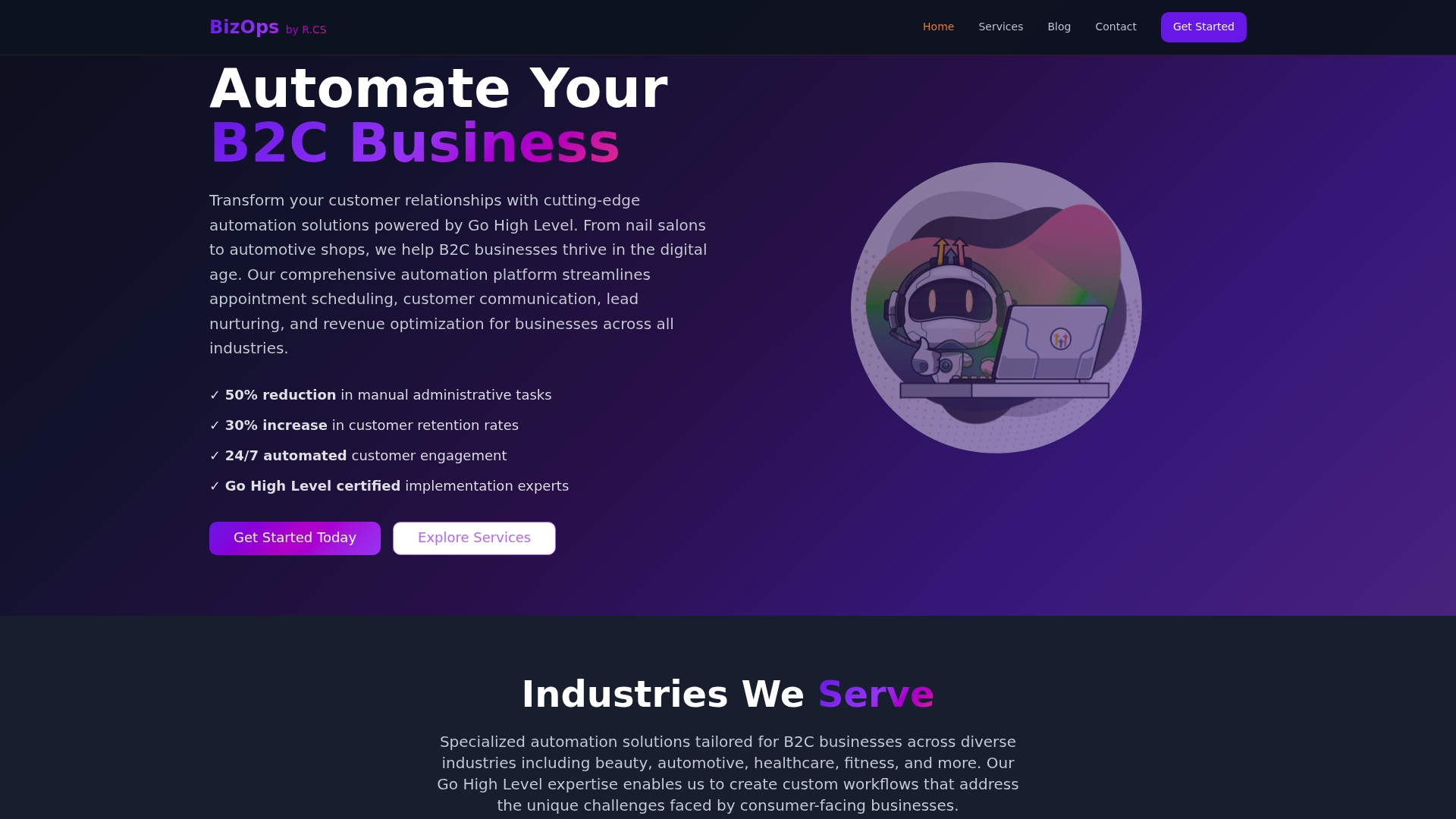
The BizOps automation platform is designed for service businesses, including healthcare providers, that need CRM automation to work at the operational layer without creating compliance exposure. From automated appointment reminders that respect consent preferences, to event-driven follow-up sequences tied to clinical milestones, Byrcs configures the workflows that generic CRM platforms leave to your staff.
Practices working with Byrcs have seen significant efficiency gains through automation of patient communication and scheduling workflows. If you are ready to move from evaluating features to actually running them, explore what Byrcs automation services can build for your practice.
FAQ
What are the main types of healthcare CRM features?
Healthcare CRM features fall into four categories: operational (scheduling, reminders, intake), clinical (EHR integration, care coordination), analytical (reporting, predictive scoring), and communication (secure messaging, consent management). Each category addresses a distinct layer of patient management and practice efficiency.
Why is EHR integration critical in a healthcare CRM?
Without bidirectional EHR integration using FHIR standards, a CRM operates in isolation from clinical data, which can lead to errors like sending reminders to hospitalized patients. Real-time sync keeps engagement workflows aligned with the patient's actual clinical status.
How does HIPAA compliance affect CRM communication features?
HIPAA requires that all patient messaging respect consent preferences and be delivered through compliant infrastructure. CRM platforms must enforce consent management and access controls by design, not as optional configuration, to protect patient data and avoid regulatory exposure.
What should I look for in healthcare CRM analytics?
Look for predictive no-show scoring, appointment adherence reporting, referral source tracking, and compliance audit logs. The best platforms allow customization so your dashboards reflect healthcare-specific metrics rather than generic sales KPIs.
How do I choose between a basic and advanced healthcare CRM?
Evaluate platforms on EHR integration depth, compliance architecture, and automation maturity rather than feature quantity alone. A platform with fewer but deeply integrated capabilities will serve your practice better than one with a long list of shallow or disconnected tools.
Want this set up for your business?
Book a free 30-minute strategy call and we'll map out your automations together.
Book a Free Call