Inventory Automation for Delivery Restaurants: 2026 Guide
By Rowena Tulacz · · 10 min read
Inventory Automation for Delivery Restaurants: 2026 Guide
TL;DR:
- Inventory automation allows delivery restaurants to update stock in real time across all channels, reducing errors and stockouts. It replaces manual tracking with integrated systems that trigger reorder points and provide unified visibility, improving efficiency and customer satisfaction. Successful implementation requires clean data, strong platform integration, and continuous monitoring of KPIs to optimize stock management.
Managing inventory across multiple delivery channels while keeping up with real-time order volume is one of the most demanding operational challenges restaurant owners face today. The role of inventory automation in delivery restaurants has shifted from a "nice to have" feature to a direct driver of profitability and order accuracy. Manual tracking simply cannot keep pace with the complexity of simultaneous orders flowing from third-party apps, in-house POS systems, and online menus. This guide breaks down how automated inventory systems work, why they outperform manual methods, what technologies to look for, and how to put them into practice in your operation.
Table of Contents
- Key takeaways
- The role of inventory automation in delivery restaurants
- Manual vs. automated inventory management
- Key features of automated inventory systems
- How to implement inventory automation
- Challenges and advanced considerations
- My honest take on inventory automation
- How Byrcs can support your delivery operations
- FAQ
Key takeaways
| Point | Details |
|---|---|
| Real-time tracking is critical | Automated systems update stock instantly across all delivery channels, preventing costly stockouts. |
| Manual methods break at scale | As delivery volume grows, manual tracking creates errors that damage cash flow and customer satisfaction. |
| PAR levels drive reorder precision | Setting PAR levels within automated systems triggers replenishment before stock runs out, not after. |
| Data quality determines system accuracy | Clean, verified product and sales data is the foundation of any reliable automated inventory system. |
| Measure what matters | Track KPIs like stockout frequency, order accuracy, and waste reduction to confirm automation is delivering returns. |
The role of inventory automation in delivery restaurants
Automated inventory management, the industry term for what many operators call "inventory automation," is built around one core idea: your stock counts should update themselves. Every time a delivery order is confirmed, the system deducts the right ingredients or items from your inventory in real time, without anyone typing a number into a spreadsheet.
The practical mechanism works through your POS integration. Real-time stock tracking updates automatically via verified POS sales data and syncs across every delivery channel you operate. When a customer orders a burger through a third-party delivery app, the system simultaneously adjusts patty count, bun count, and any toppings tied to that item.
PAR levels are one of the most underused tools in this process. PAR stands for Periodic Automatic Replenishment, and it functions as a safety net for stock. You set a minimum threshold for each item, and when stock drops below that number, the system fires an automated alert or even submits a reorder to your supplier. No manual check required.
- Multi-channel sync: Orders from every platform, whether it is DoorDash, Uber Eats, or your own website, all feed into a single inventory count.
- Automated alerts: Low-stock notifications reach your team before a shortage can delay or cancel an active delivery order.
- Reorder triggers: The system generates purchase orders automatically when PAR thresholds are crossed, removing human bottlenecks from the replenishment cycle.
- Unified visibility: Managers see one accurate picture of stock levels across every sales channel at any moment.
Pro Tip: Set PAR levels based on your peak delivery days, not your average daily sales. A PAR calibrated for a Tuesday will leave you short on a Friday night.
Manual vs. automated inventory management
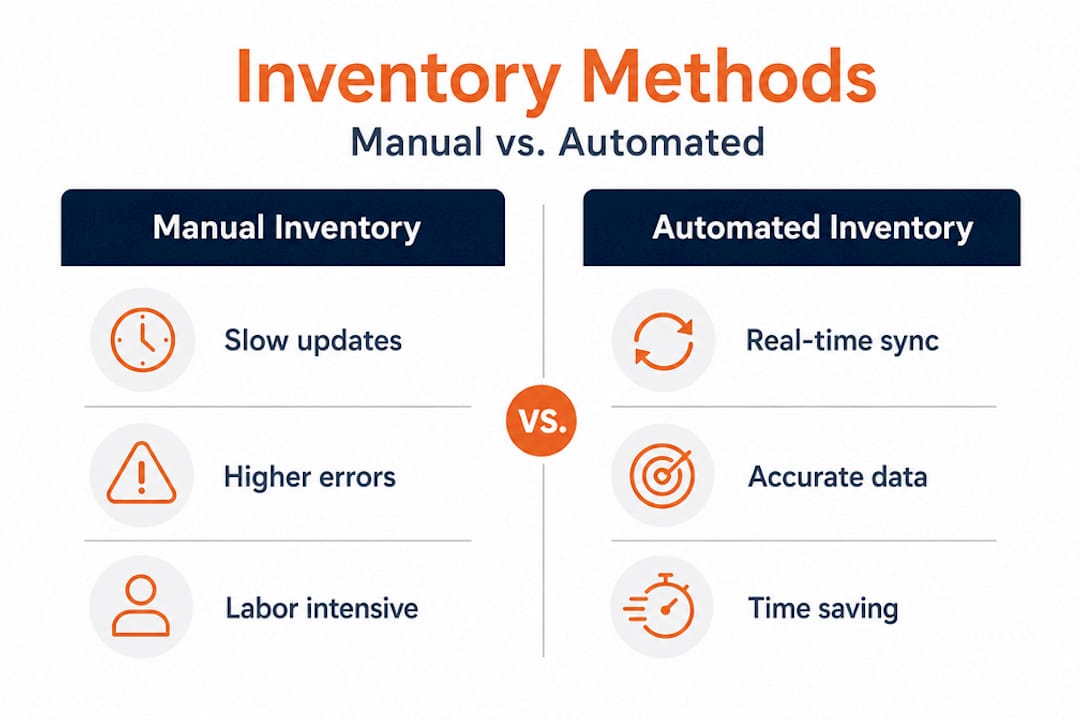
The difference between manual and automated inventory management becomes most visible when delivery volume scales up. A restaurant running one channel with a simple menu can manage with spreadsheets. Add three delivery platforms, a seasonal menu, and 200 daily orders, and that same spreadsheet becomes a liability.
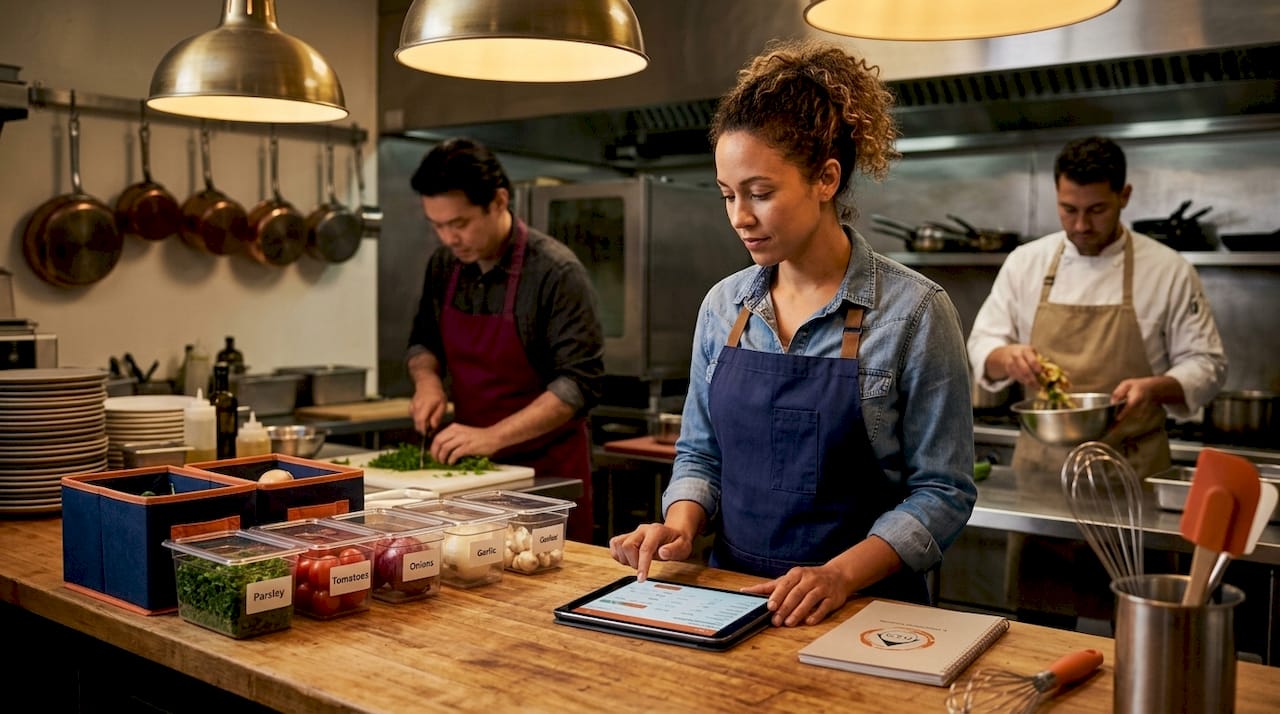
Many restaurants relying on manual tracking suffer inventory misses that directly impact cash flow and profitability, particularly as menus expand and delivery apps multiply. The problem is not that people make mistakes because they are careless. It is that manual systems require perfect, real-time input from multiple people across multiple platforms simultaneously. That is not a realistic expectation.
| Factor | Manual inventory | Automated inventory |
|---|---|---|
| Stock update speed | End of shift or daily count | Instant, per transaction |
| Error rate | High, especially during peak hours | Low, driven by verified sales data |
| Multi-channel handling | Requires separate reconciliation | Synced automatically across all channels |
| Scalability | Breaks down as volume increases | Designed to scale with multi-location operations |
| Cash flow impact | Frequent stockouts and overordering | Tighter control through precise reorder triggers |
| Staff time required | Several hours per week | Minimal, focused on exception handling |
Automated systems reduce human error and improve data accuracy by syncing sales, purchase, and stock data in real time, which directly supports better order fulfillment and reduces overselling across delivery channels. That last point matters more than most operators realize. Overselling an item you do not have in stock results in a canceled delivery order. Canceled orders generate refund requests, negative reviews, and lost repeat customers.
Pro Tip: Before switching systems, run a two-week parallel test where you track inventory both manually and through your new automated tool. The discrepancies you find will show you exactly where your old process was losing accuracy.
Key features of automated inventory systems
Not every inventory software for restaurants is built with delivery operations in mind. When evaluating platforms, there are specific features that separate a delivery-ready system from a basic stock counter.
Automated inventory systems use barcode scanning, AI forecasting, and platform integration to update stock counts instantly and handle reordering without manual intervention. Here is what to prioritize:
- POS and delivery platform integration. The system must connect directly to your POS and every delivery app you use. Any manual data entry in between is a point of failure.
- Real-time ingredient-level tracking. Rather than just tracking whole menu items, look for systems that track individual ingredients so a sold sandwich deducts bread, lettuce, tomato, and protein separately.
- Automated reorder workflows. Automation workflows reduce manual oversight by handling stock alerts, reorder approvals, and order routing, saving hours of management time each week.
- Demand forecasting tools. AI-driven forecasting analyzes your historical sales data and delivery peaks to predict when you will need more stock, not just when you have run out.
- Multi-location support. If you operate more than one location or plan to expand, the system should centralize inventory data across all sites in a single dashboard.
- Customizable alert thresholds. You need the ability to set different PAR levels for different items and adjust them seasonally or by delivery platform performance.
- Reporting and analytics. Look for dashboards that surface waste percentages, stockout frequency, and supplier lead times so you can make data-backed purchasing decisions.
Understanding fulfillment cost components is equally relevant here. Restaurant delivery is a fulfillment operation at its core, and the cost of a missed or inaccurate order extends well beyond the food itself.
How to implement inventory automation
Adopting automated inventory management does not have to be a rip-and-replace operation. A phased approach reduces risk and gives your team time to build confidence in the new system.
- Audit your current gaps first. Before selecting a platform, document exactly where your manual process breaks down. Is it after peak hours? When orders come from multiple apps simultaneously? Knowing the failure points helps you prioritize the features that will actually solve your problem.
- Choose a platform with strong integrations. The system you choose needs native connections to your POS and every delivery app you use. Check the integration list before signing a contract, not after.
- Train staff on exception handling, not just the software. Your team does not need to understand how the system works under the hood. They need to know how to respond when an alert fires, how to flag a discrepancy, and when to escalate.
- Set and refine PAR levels from day one. Do not borrow PAR levels from an online template. Base them on your own sales history, factoring in delivery-specific demand patterns.
- Monitor KPIs from week one. Track stockout frequency, order accuracy rates, and food waste reduction from the moment the system goes live. Early data tells you whether your PAR levels and reorder settings are calibrated correctly.
Inventory systems synced with POS and delivery apps improve delivery efficiency by reflecting verified sales data across all platforms, so your delivery menu always reflects what you can actually fulfill.
Pro Tip: Assign one team member as the "inventory system owner" during rollout. Having a single point of accountability for alert responses and data discrepancies dramatically speeds up the learning curve.
Challenges and advanced considerations
Automation does not fix a broken data foundation. It amplifies it. If your product database has inconsistencies, if a menu item is labeled differently across platforms, or if supplier SKUs are not mapped correctly, the system will produce inaccurate counts with great efficiency. Transitioning to automation demands data discipline but offers scalability and improved control once that foundation is solid.
Periodic manual stock audits remain important even after automation is in place. Spoilage, theft, and receiving errors do not always show up in digital records. A weekly physical count of your highest-volume items catches the gaps that automation misses.
Unexpected delivery demand spikes, a viral social media moment or a major local event, can also outpace even well-calibrated PAR levels. Build a manual override protocol into your process so managers can trigger emergency reorders or temporarily disable menu items on delivery platforms when stock drops critically low.
Delivery efficiency depends on maintaining inventory as a real-time source of truth across all sales channels. The moment that source of truth goes stale, even by an hour, delivery accuracy suffers. For operators managing multiple locations, the integration challenge multiplies. Each location may use different supplier relationships, slightly different menus, or different POS configurations. Centralization is the goal, but it requires deliberate setup work upfront.
My honest take on inventory automation
I have worked with enough delivery-focused restaurant operators to recognize a pattern. They start with manual tracking because it feels controllable. A spreadsheet you built yourself feels transparent. Then delivery volume climbs, a third app gets added, and the spreadsheet starts lying to them. Not through any fault of theirs. It just cannot keep up.
What I have found is that the operators who resist automation longest are often the ones who have been burned by a poorly implemented system in the past. A tool that was supposed to help them ended up creating more reconciliation work than the spreadsheet it replaced. That experience is real, but it usually traces back to choosing a system without verifying integration depth, or skipping the data cleanup phase before going live.
My view is that inventory automation is not a one-time fix. It is a practice. The operators who get the most out of it treat their PAR levels as living settings, review their waste reports every week, and use the time the system saves them to make better purchasing decisions rather than just relaxing the manual oversight. The technology handles the repetitive work. Your job becomes making the data work harder for your margins.
Restaurant-specific automation platforms designed to manage multiple ordering channels are the closest thing to a structural advantage available to independent operators right now. Use them deliberately.
— Rowena
How Byrcs can support your delivery operations
Byrcs builds automation solutions specifically designed for the operational realities that restaurant owners and managers deal with every day. The BizOps platform integrates CRM capabilities with intelligent process automation, helping delivery restaurants manage multi-channel inventory visibility, reduce manual tasks by an average of 50%, and respond to real-time demand changes without adding staff overhead. Clients using BizOps automation have reported a 30% increase in revenue alongside a 95% satisfaction rate from automated implementations. Whether you are managing a single location or expanding to multiple sites, the BizOps automation platform gives your team the tools to keep inventory accurate, delivery orders fulfilled, and customers coming back.
FAQ
What is the role of inventory automation in delivery restaurants?
Inventory automation keeps stock counts updated in real time across every delivery platform and POS system, preventing stockouts and order cancellations. It replaces manual tracking with automated alerts, reorder triggers, and multi-channel syncing that scales with your delivery volume.
How does automated inventory management reduce delivery errors?
Automated systems deduct ingredients or items from stock the moment an order is confirmed, removing the lag and human error associated with manual entry. This keeps your delivery menu aligned with what you can actually fulfill at any given moment.
What are PAR levels and why do they matter for delivery restaurants?
PAR (Periodic Automatic Replenishment) levels are minimum stock thresholds that trigger automated reorder alerts when inventory drops too low. For delivery restaurants, they prevent the stockouts that lead to canceled orders and poor customer reviews.
How often should restaurants audit inventory even with automation in place?
Despite automation, periodic manual checks help catch spoilage, theft, and receiving discrepancies that digital records may miss. A weekly physical count of your highest-volume items is a practical baseline.
What should I look for in inventory software for delivery restaurants?
Prioritize native POS integration, real-time multi-channel syncing, ingredient-level tracking, demand forecasting, and customizable PAR alert settings. Systems that connect directly to your delivery apps without manual data bridges will give you the most accurate and reliable stock visibility.
Recommended
- Go High Level for Restaurants | Reservations, Loyalty & Reviews
- The Ultimate Guide to Go High Level Automation for B2C Businesses | BizOps - B2C Automation Experts
- E-commerce Automation: From Cart Abandonment to Upsells That Convert | BizOps - B2C Automation Experts
- BizOps | Go High Level Automation for Service Businesses
Want this set up for your business?
Book a free 30-minute strategy call and we'll map out your automations together.
Book a Free Call